
How to Deposit Money on L83 Game (Step-by-Step Guide)
If you complete your registration process, ready to start playing on the L83 game, the first step is to deposit money into your account. The process of deposit is simple, quick, and fast, especially for users in Pakistan, who prefer local payment methods.
In this article, we will explain through all compete step by step process for depositing money in the game wallet safely and start playing games without confusion and win real money.
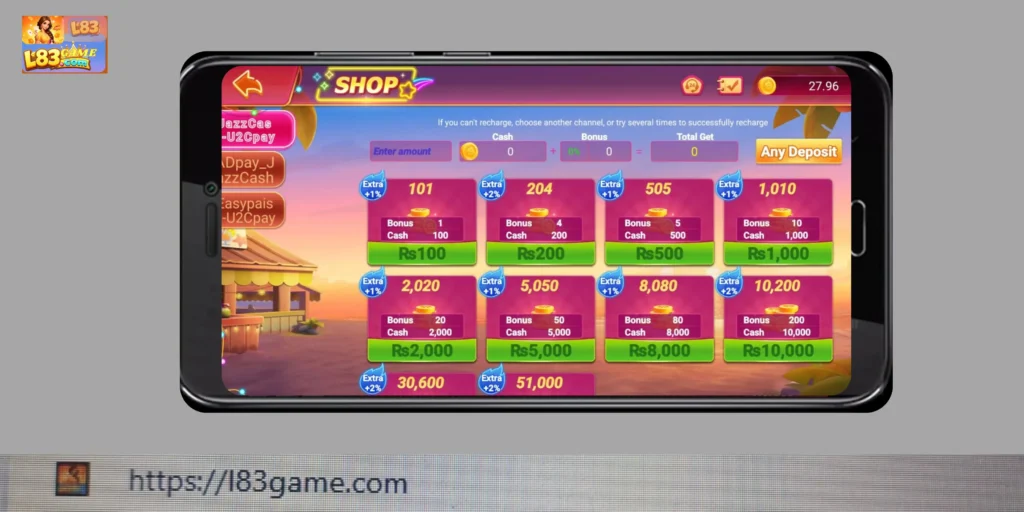
Why You Need to Deposit Money in l83 game
The aim deposit funds into your L83 game account is to give access to
- All available games to play and win real money
- Participate in real gameplay to enjoy
- All kinds of bonuses and rewards to unlock promptly
- Enjoy a full gaming experience and the chance of winning big prizes
With a deposit, there is limited access to features, rewards, and bonuses
Step-by-Step Guide to Deposit Money on the L83 Game
Follow these easy steps to add funds to your account:
Step 1: Log in to Your Account
Visit or open your gaming app or official website
Enter your basic information in the login, user ID, and password
Step 2: Go to Wallet / Deposit Section
After logged in
- Navigate to your dashboard
- Look for the “Wallet” or “Deposit” option
- Tap on it to proceed
Step 3: Choose a Payment Method
L83 game provides all kinds of local payment options for Pakistani users
- You can deposit money through an Easy Paisa account
- There is also a Jazz Cash account facility for users convinces
- The bank transfer system is also available for users
Now you can select a convenient method
Step 4: Enter Deposit Amount
Now type the amount you want to deposit money
Tip:
If you are new to this gaming app, start with a small amount, first you can understand how this app works before investing a huge amount
Step 5: Complete Payment
It depends on you which payment method chose for your deposit payment
- First, enter your mobile wallet details
- Next, confirm your transactions
- Approve payment through mobile app or SMS
Double-check and make sure the provided details are correct
Step 6: Wait for Confirmation
After payment:
- Wait for a few minutes, your balance should update
- In some cases, it may delay for little longer
After confirming, the amount will automatically appear in your L83 wallet
Important Tips for Safe Deposits
To ensure a smooth and secure transaction:
- Always use the official website (l83game.com)
- Double-check payment details before confirming
- Keep screenshots of your transactions
- Avoid sharing your payment info with anyone
Common Deposit Issues and Solutions
Some common problems occur during the deposit, and how to fix them
Payment Not Showing
- It takes a few minutes
- Refresh the app or website
- If the delay continues, contact the support service through live chat or email
Transaction Failed
- Before payment, check your account balance
- Check and ensure your internet connection
- Try again using a different method
Wrong Amount Entered
- Before confirming must double-check
- Immediately contact the support center if any error occurs
Payment App Not Working
- Restart your mobile wallet app
- Update the app
- Switch to another payment option
How to Check Your Deposit History
To track your transaction history
- Go to Wallet
- Go to Wallet
- Open Transaction History
- Check all deposits and payments
This will help you keep your records active
Final Thoughts
The deposit money in l83 game is fast and friendly. If you follow the right steps, the process is very easy. Users need to start with a small amount by using secure payment methods for a safe and smooth gaming experience.
Always remember to play responsibly and manage your spending wisely. After successfully completing your deposit method, you are freely exploring your favorite games and have a chance of winning different cash prizes, rewards, and bonuses. Now make your first deposit today and enjoy everything L83 game offers